

Neck Pain from Computer Use: Prevention Tips
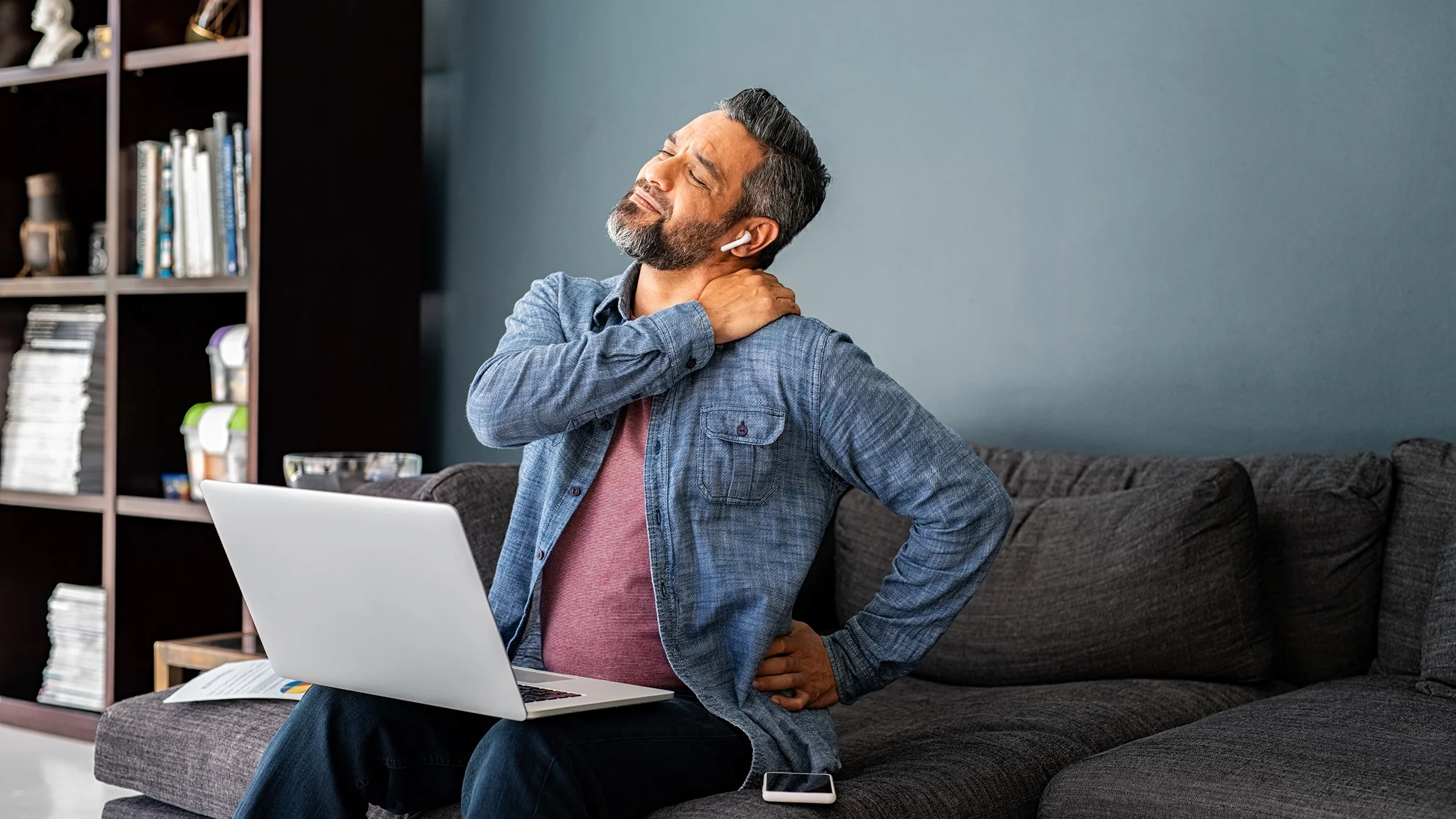
In today's digital world, many people spend 6–10 hours a day working on computers, laptops, or smartphones. While technology has made work easier, it has also led to a growing problem—neck pain.
Whether you're an office worker, student, software engineer, accountant, designer, doctor, or someone working from home, prolonged screen time can strain the muscles, joints, and ligaments of your neck.
The good news is that most cases of computer-related neck pain can be prevented with proper posture, workstation ergonomics, and regular movement.
Why Does Computer Use Cause Neck Pain?
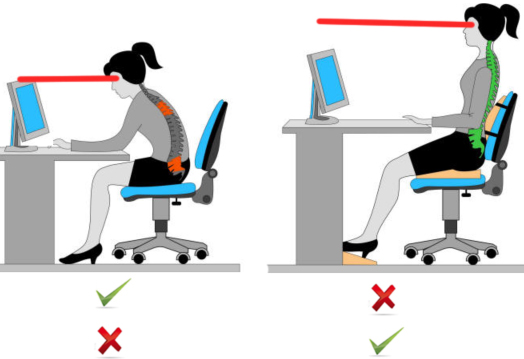
Your head weighs approximately 4–6 kg. When you maintain poor posture, especially while looking down at a screen, the effective load on your neck increases dramatically.
This prolonged strain leads to muscle fatigue, stiffness, and pain.
Forward Head Posture
Correct Posture

     Head
      │
      │
   Shoulders
      │
      │
     Spine


Forward Head Posture

        Head
          \
           \
            \
         Shoulders
             │
             │
            Spine
Even a small forward tilt maintained for hours each day can overload the neck muscles.
Common Causes
Computer-related neck pain usually results from a combination of factors:
- Poor sitting posture
- Screen positioned too low
- Laptop use without external keyboard
- Prolonged sitting
- Lack of movement breaks
- Unsupported lower back
- Looking down at smartphones for long periods
- Poor workstation design
- Stress causing muscle tightness
Common Symptoms
People with computer-related neck pain may experience:
- Neck stiffness
- Aching pain
- Pain between the shoulder blades
- Headaches
- Shoulder tightness
- Reduced neck movement
- Muscle spasms
- Pain after prolonged sitting
- Difficulty turning the head
Some people also notice tingling or numbness in the arms. This should be evaluated by a doctor, as it may indicate nerve involvement rather than simple muscle strain.
Are You at Risk?
You are more likely to develop neck pain if you:
| Risk Factor | Higher Risk |
|---|---|
| Work on a computer >6 hours/day | ✔ |
| Use a laptop without accessories | ✔ |
| Frequently use smartphones | ✔ |
| Poor posture | ✔ |
| Rarely take breaks | ✔ |
| Weak neck and upper back muscles | ✔ |
The Ideal Workstation Setup
Small adjustments to your workspace can significantly reduce strain on your neck.
Monitor Position
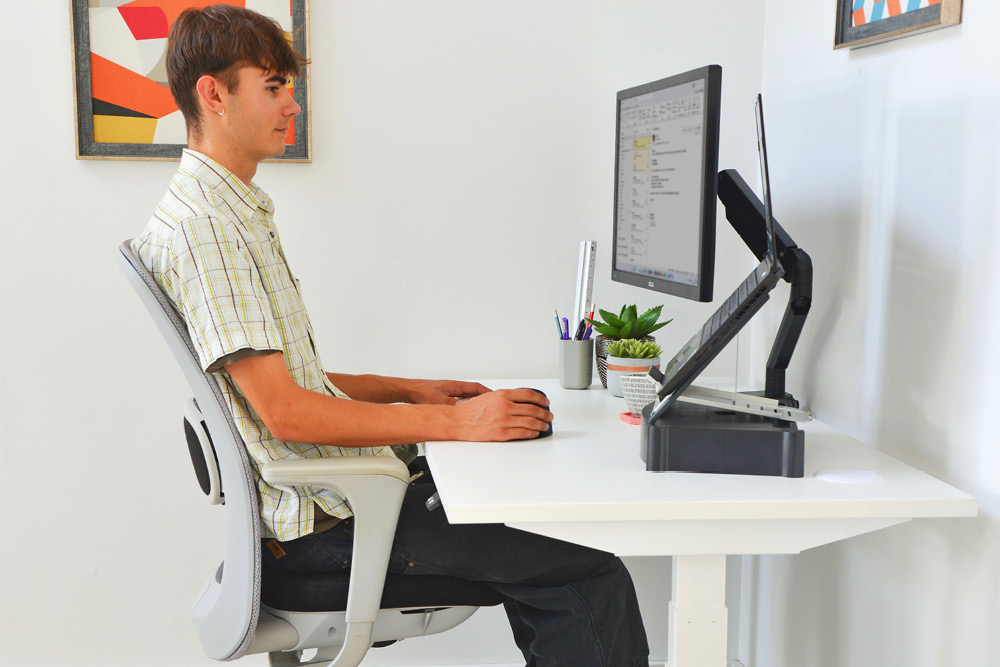
Your monitor should be:
- Directly in front of you
- About an arm's length away
- With the top of the screen at or slightly below eye level
Avoid looking down for long periods.
Chair
Choose a chair that provides:
- Lumbar support
- Adjustable height
- Comfortable armrests
- Feet resting flat on the floor
Keyboard & Mouse
Keep them:
- Close to your body
- At elbow height
- With relaxed shoulders
- Wrists in a neutral position
Laptop Users
A laptop encourages you to look downward.
For prolonged work, consider:
- Laptop stand
- External keyboard
- External mouse
This allows your screen to be at eye level while maintaining comfortable arm positioning.
The 20-20-20 Rule
While originally recommended to reduce eye strain, this habit also encourages regular posture changes.
Every 20 minutes:
- Look at something about 20 feet away
- For 20 seconds
In addition, stand up and move around every 30–60 minutes to reduce muscle fatigue.
Simple Desk Exercises
These exercises can usually be performed at your workstation.
Chin Tucks
- Sit upright.
- Gently pull your chin backward.
- Do not tilt your head.
- Hold for five seconds.
- Repeat 10 times.
This helps improve forward head posture.
Neck Side Stretch
- Tilt your head toward one shoulder.
- Hold for 20–30 seconds.
- Repeat on the opposite side.
Do not force the movement.
Shoulder Rolls
Roll your shoulders:
- Forward 10 times
- Backward 10 times
This helps relieve muscle tension.
Shoulder Blade Squeeze
- Pull both shoulder blades gently together.
- Hold for five seconds.
- Repeat 10–15 times.
This strengthens the upper back muscles that support good posture.
Chest Stretch
Stand in a doorway with your forearms on the frame and gently lean forward until you feel a stretch across the chest.
Hold for 20–30 seconds.

Lifestyle Tips
Healthy daily habits help reduce recurring neck pain.
Stay Active
Regular exercise strengthens the muscles supporting your neck and spine.
Sleep Position
A supportive pillow that keeps your neck in a neutral position may improve comfort.
Avoid sleeping with multiple pillows that push your head forward.
Reduce Smartphone Time
Looking down at a phone for prolonged periods places significant stress on the neck.
Whenever possible:
- Raise the phone closer to eye level
- Take frequent breaks
- Alternate tasks
Manage Stress
Stress often causes muscle tightening around the neck and shoulders.
Relaxation techniques, deep breathing, and regular physical activity may help.
Quick Tip
The best posture is your next posture. Even a perfect sitting position becomes uncomfortable if maintained for several hours without movement.
When Should You See a Doctor?
Most cases improve with posture correction and exercises.
However, seek medical evaluation if you have:
- Pain lasting more than two weeks
- Pain following an accident or fall
- Pain radiating into the arm
- Numbness or tingling
- Hand weakness
- Difficulty with balance
- Fever or unexplained weight loss
- Severe night pain
These symptoms may indicate conditions beyond simple muscle strain.
Common Mistakes
Avoid these common errors:
- Working for hours without standing
- Using a laptop on the bed
- Sitting on the edge of the chair
- Cradling the phone between your ear and shoulder
- Looking down at a phone for long periods
- Ignoring persistent neck pain
Frequently Asked Questions
Can computer work permanently damage my neck?
Most computer-related neck pain is caused by muscle strain and poor posture rather than permanent damage. However, long-term poor ergonomics may contribute to chronic neck problems if not corrected.
Should I use a cervical collar?
Routine use of a cervical collar is generally not recommended for simple posture-related neck pain because prolonged use can weaken neck muscles. It should only be used if advised by a healthcare professional.
Which is better—a desktop or a laptop?
A desktop workstation is generally easier to set up ergonomically. If you use a laptop for extended periods, adding a laptop stand, external keyboard, and mouse can provide similar ergonomic benefits.
Can exercise completely prevent neck pain?
Regular exercise significantly reduces the risk of neck pain, but it should be combined with good posture, an ergonomic workstation, and regular movement breaks.
Is neck pain always caused by muscle strain?
No.
Neck pain can also result from conditions such as cervical disc problems, arthritis, nerve compression, infections, or, rarely, tumors. Persistent or severe symptoms should be medically evaluated.
Daily Neck Care Checklist
Before starting work each day, ask yourself:
- Is my monitor at eye level?
- Are my shoulders relaxed?
- Are my elbows at approximately 90 degrees?
- Is my back supported?
- Will I take movement breaks every hour?
- Have I planned time away from the screen today?
Small adjustments made consistently can prevent chronic discomfort.
Key Takeaways
Good ergonomics is one of the most effective treatments—and the best prevention—for computer-related neck pain.
- Keep your monitor at eye level.
- Sit with proper back support.
- Avoid prolonged sitting without breaks.
- Perform regular neck and shoulder stretches.
- Seek medical evaluation if pain is persistent or associated with numbness, weakness, or other neurological symptoms.
Book an Appointment
If neck pain is affecting your work, sleep, or daily activities, early evaluation can help prevent long-term problems.
At Spica Hospitals, we provide comprehensive assessment and treatment for neck pain, cervical spondylosis, slipped discs, nerve compression, posture-related disorders, sports injuries, and other spine conditions. Our treatment combines accurate diagnosis, personalized rehabilitation, ergonomic advice, and advanced orthopaedic care to help you return to a pain-free, active lifestyle.